Mafia Wars Unblocked — Play Free Online
More Stickman Fights games
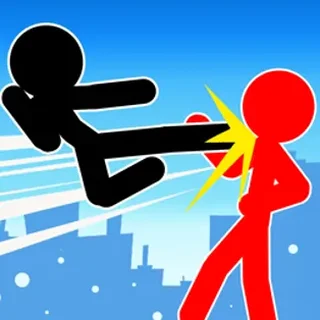
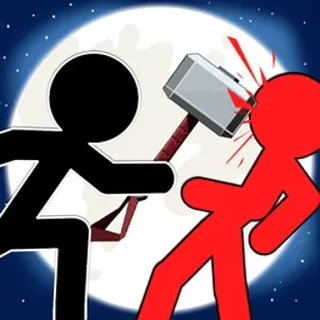
Mafia Wars unblocked: play Mafia Wars online free right here in your browser — no download, no sign-up, works on a school Chromebook.
Mafia Wars places you squarely in the middle of chaotic street turf shootouts where quick positioning and heavier weaponry decide every encounter. Playing as a lone enforcer taking on waves of rival syndicate operatives, each stage challenges you to weave between hostile fire, line up accurate shots, and secure cash bounties from fallen opponents.
While larger tactical titles on Stick War ask you to manage whole armies and resource lines across lengthy campaigns, Mafia Wars zeroes in on immediate arcade combat. Encounters resolve in snappy skirmishes lasting only a minute or two, letting you experiment with aggressive leaps, weapon swaps, and steady target prioritization without prolonged downtime.
How the shootouts work
Movement is mapped to either the W, A, S, D keys or the arrow keys, allowing you to advance, retreat, and jump across platforms to evade incoming fire. Your specific attack keys are shown on the start screen before the action begins, enabling you to fire your equipped firearm or unleash melee strikes when enemies close the distance.
A second player can join in directly on the same keyboard for head-to-head brawls. One fighter takes the left side of the keyboard using WASD while the rival operates the arrow cluster on the right side, turning each match into a fast-paced duel for high ground and weapon dominance.
Upgrading weapons in the store
Surviving encounters rewards you with cash that directly feeds your offensive power. Between battles, you can visit the weapon store to trade your earnings for deadlier hardware:
- Revolvers: Reliable sidearms that provide steady single-target stopping power at medium range.
- Shotguns: Devastating close-quarters tools capable of repelling aggressive chargers with high spread damage.
- Machine guns: High-rate-of-fire automatics that pin down groups of advancing henchmen across flat terrain.
- Gatling guns: Heavy ordinance designed to shred armored targets and overwhelming enemy waves in seconds.
Combat tips for higher payouts
Surviving against increasingly well-equipped mobsters requires disciplined movement rather than standing still and trading hits. Keep these fundamentals in mind during tougher stages:
- Control the vertical space: Jumping over incoming projectiles and firing downward gives you clear sightlines while minimizing the surface area enemies can hit.
- Prioritize rapid shooters: Take out enemy gunmen carrying automatic rifles before dealing with basic melee brawlers.
- Save for heavy firepower early: Upgrading from basic handguns to an automatic weapon early dramatically shortens later mob encounters.
- Keep moving during reloads: When your weapon cycles, use platform elevations to break enemy lines of sight until you are ready to fire again.
Related battle games on Stick War
If you enjoy direct combat mechanics and unit skirmishes, the Stick War catalogue offers several complementary titles. Stick Defenders combines tactical weapon upgrades with defensive wave survival, while Stickman Army: The Defenders focuses on strategic line defense against escalating assault squads. For players who prefer directing larger battle lines rather than individual gunfights, War of Sticks delivers classic territory conquest and squad management.
Mafia Wars runs directly in modern desktop browsers without plugins or downloads, making it an easy pick for solo high-score runs or quick two-player couch showdowns.
Questions about Mafia Wars
Is Mafia Wars unblocked at school?
Mafia Wars runs in an ordinary browser tab from stickwar.org, with nothing to download or install, so it plays on most school Chromebooks and work computers. If a network filter blocks the site, only that network's administrator can change it.
What are the primary controls for Mafia Wars?
You use either the W, A, S, D keys or the arrow keys to navigate and jump. The attack and firing keys are displayed on the title screen before you enter combat.
Can two players play Mafia Wars on the same keyboard?
Yes, the game includes a local two-player mode where both fighters share a single keyboard, with one player on WASD and the other on the arrow cluster.
What weapons can you buy in the Mafia Wars store?
As you defeat mobsters and accumulate cash rewards, you can visit the weapon shop to buy revolvers, shotguns, rapid-fire machine guns, and Gatling guns.
Do you need to install any software to play Mafia Wars?
No download or installation is required. The HTML5 game runs instantly inside any standard modern web browser on desktop computers and laptops.